
SAP & Enterprise ERP Connectors
HKDesk connects physical weighbridge transactions with SAP and other enterprise systems through project-specific REST/HTTP APIs. The connector exchanges approved reference data and completed gross, tare and net weight records using mappings agreed with the customer's ERP team.
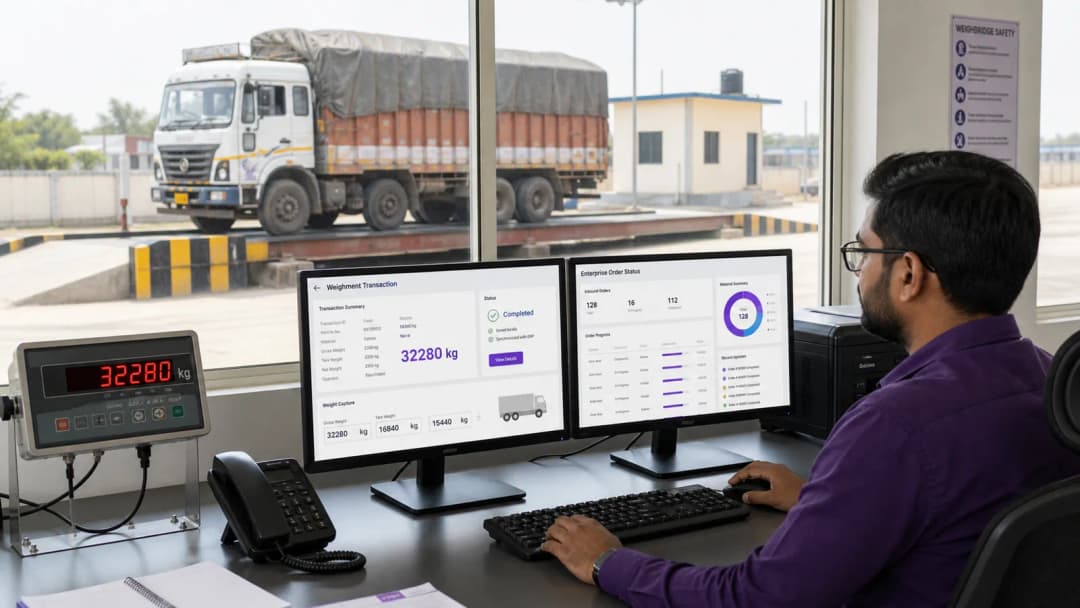
SAP & Enterprise API Capabilities
Configurable REST / HTTP Connector
Connects to customer-provided enterprise endpoints using agreed JSON payloads, authentication and session requirements.
Reference Data Lookup
Retrieves approved vehicle, transporter, material, order or dispatch references required by the weighment workflow.
Completed Weighment Posting
Sends agreed fields such as vehicle number, gross, tare, net weight, timestamps and customer reference numbers.
Status Tracking & Retry Queue
Records submission status and keeps failed transactions available for controlled retry when connectivity is restored.
Protected Settings & Diagnostics
Stores connection settings appropriately and records request status information needed for support and reconciliation.
Project-Specific Data Mapping
Maps weighbridge fields to the customer API contract instead of forcing a fixed ERP transaction format.
API Integration Specifications
ERP Integration FAQs
How does the software post weighbridge tickets to SAP?
After the configured weighment stage is completed, the connector prepares the agreed JSON payload and submits it to the customer-provided endpoint. Exact fields, validation rules and acknowledgements are confirmed during integration.
What happens if the SAP server is temporarily offline?
The local weighment remains available with its integration status. Pending transactions can be retried through the configured queue after connectivity returns, with safeguards agreed for duplicate prevention and reconciliation.
Connect Your Weighbridge directly with SAP ERP
Reduce manual weighment re-entry and exchange approved dispatch references and completed weight data through a controlled API integration.